ISP Proxies
LemonClub ensures the best prices and quality for ISP Proxy.
Purchase a ISP Proxies
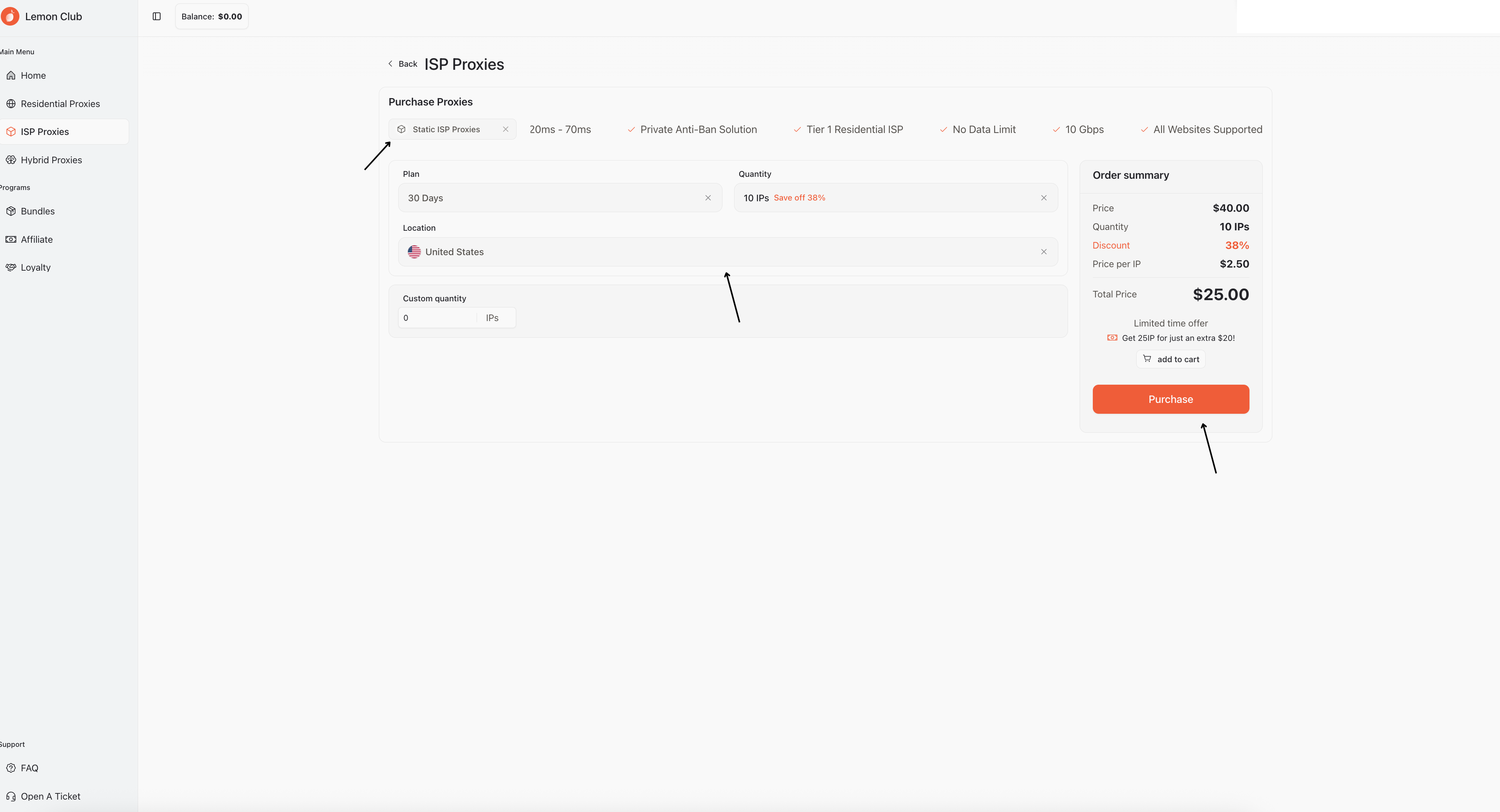
To proceed with ISP purchases, you can directly select your preferred plan from ISP, Native ISP, and Growtopia ISP. At the bottom, you can select the subscription period (1 Day, 30 Days, 90 Days), quantity, and location.
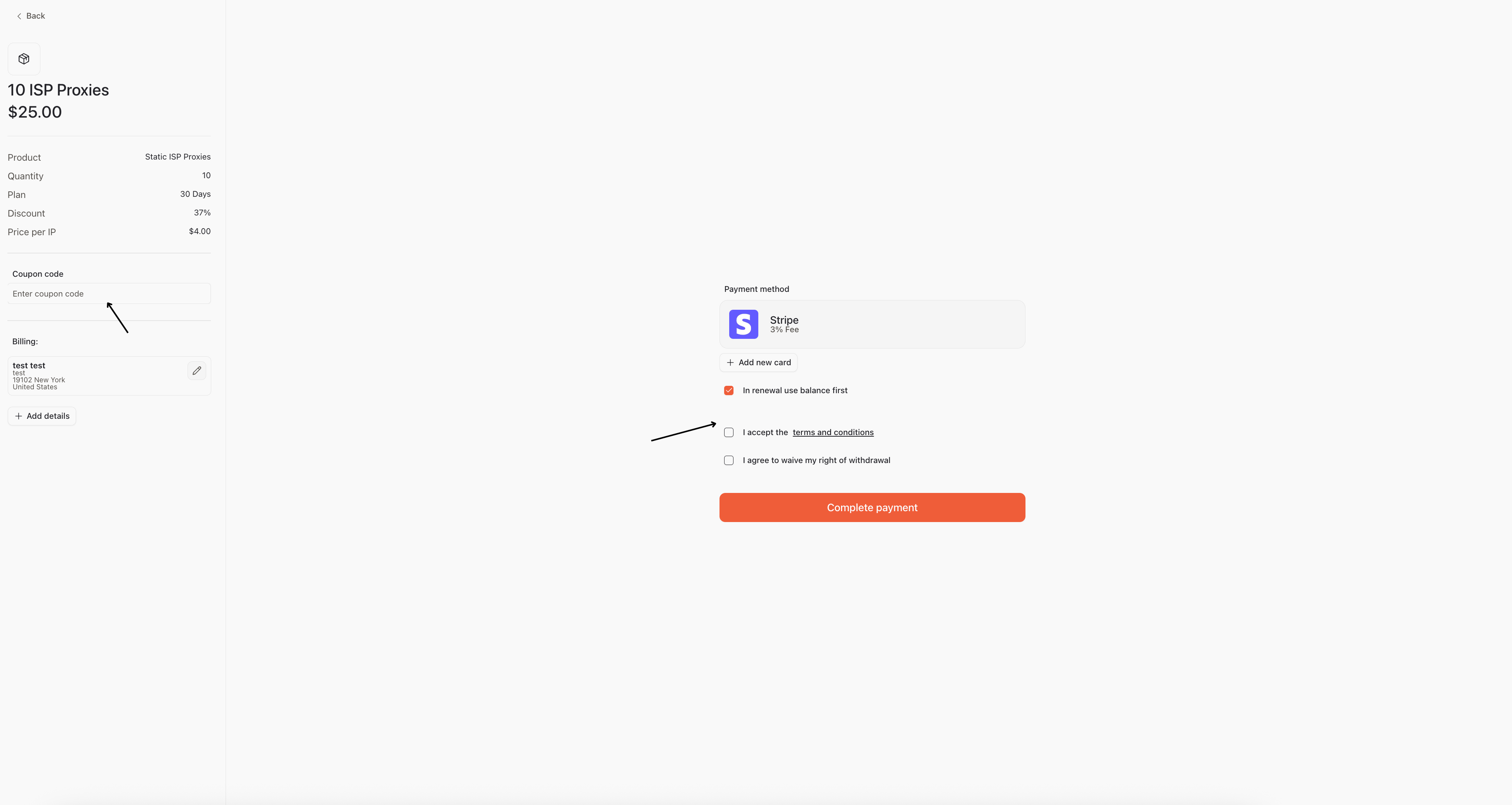
Before completing your purchase, you can use a discount code, if you have one. You must also accept the terms and conditions and click "complete payment."
What are the available locations and differences between the various ISP Proxies
Here are the main differences, use cases, and available locations for the various ISP Proxies available
Static ISP Proxies are the most widely used ISPs and can be used for virtually any use case, such as ticket websites and account management
Available Locations: Germany, France, Poland, Italy, Spain, United Kingdom, United States (different cities), Japan, Hong Kong
Native ISP Proxies function in virtually the same way and have the same use cases as ISP Proxies, but with the difference of having higher quality proxy detection rates because they are very similar to residential IPs and have never changed their geolocation since their "birth."
Available Locations: United States
Growtopia ISPs are socks5-only ISPs managed specifically for the growtopia game. We can only guarantee All Green upon delivery. After that, it is the individual user's responsibility to appropriately manage their IP to avoid bans.
Locations Available: Germany, France, Poland, Italy, Spain, United Kingdom, United States (different cities), Japan, Hong Kong,
How to work with ISP Proxies
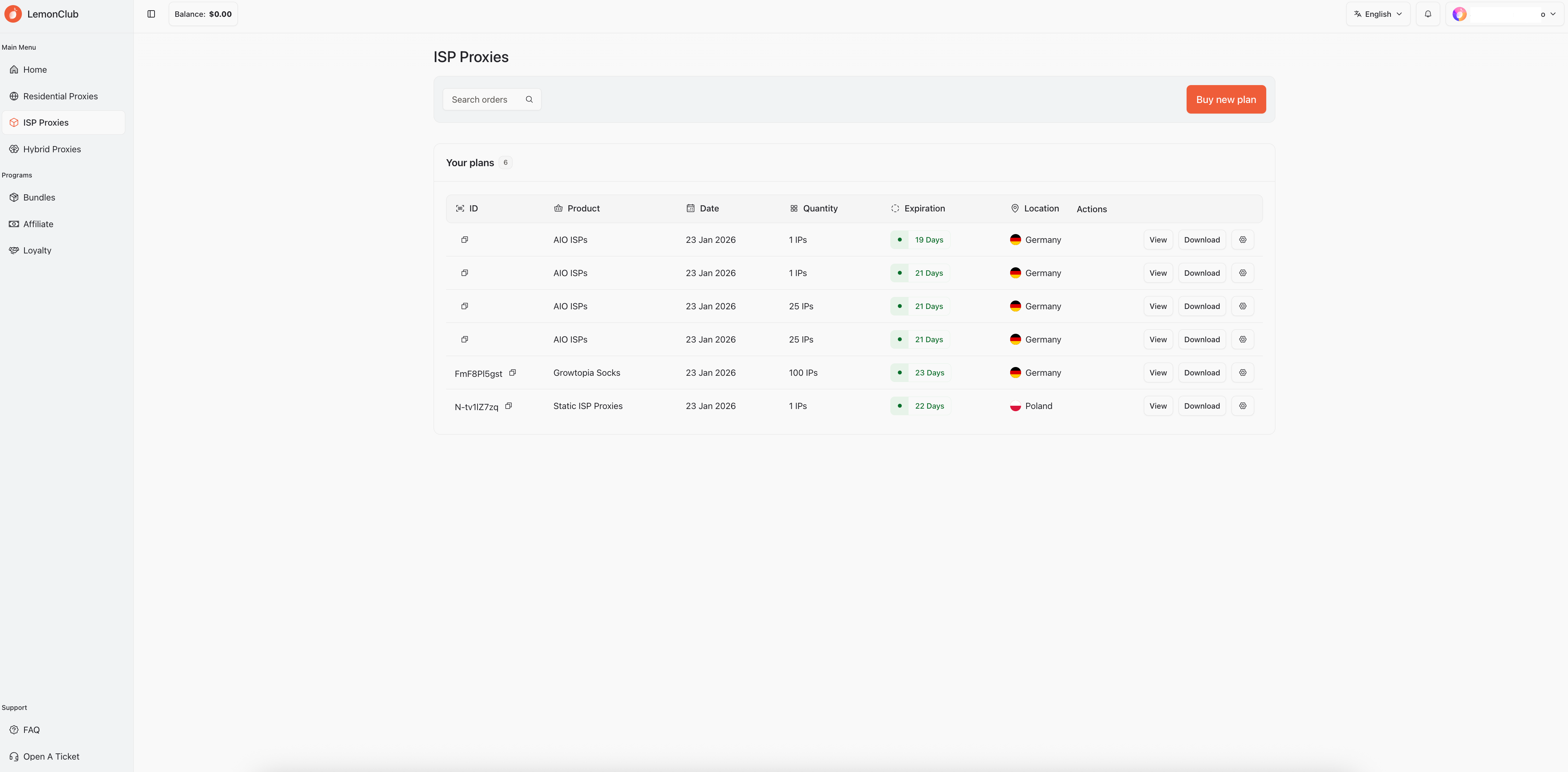
After purchasing your ISPs, you will find all your plans here.
The table is divided into ID, Product Name, Purchase Date, quantity of IPs purchased, how many days are left until expiration, the location of the ISPs and the various possible actions on copying the list, downloading and proxy setting.
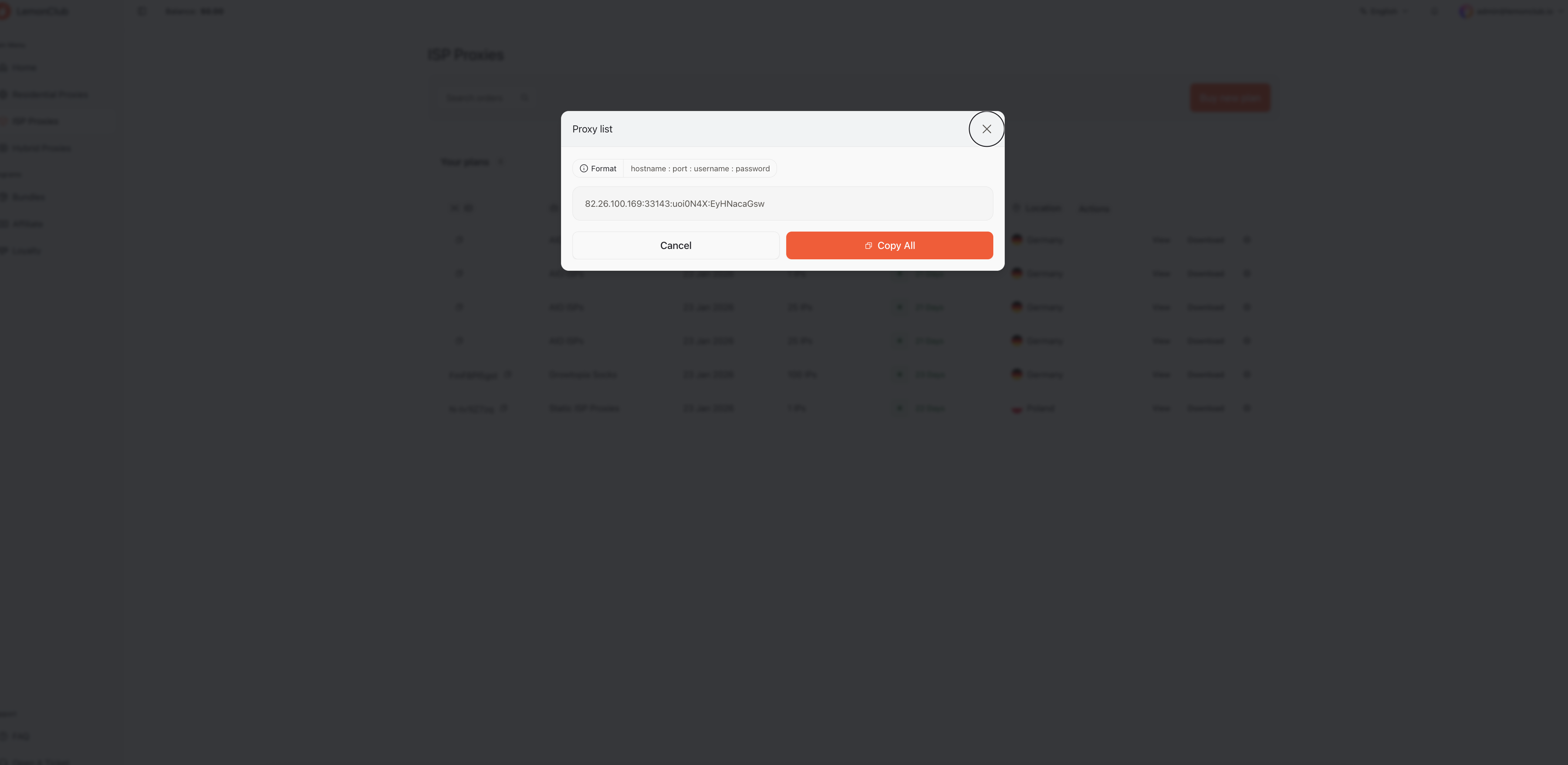
By clicking on the "view" button you will see your list with the option to copy it.
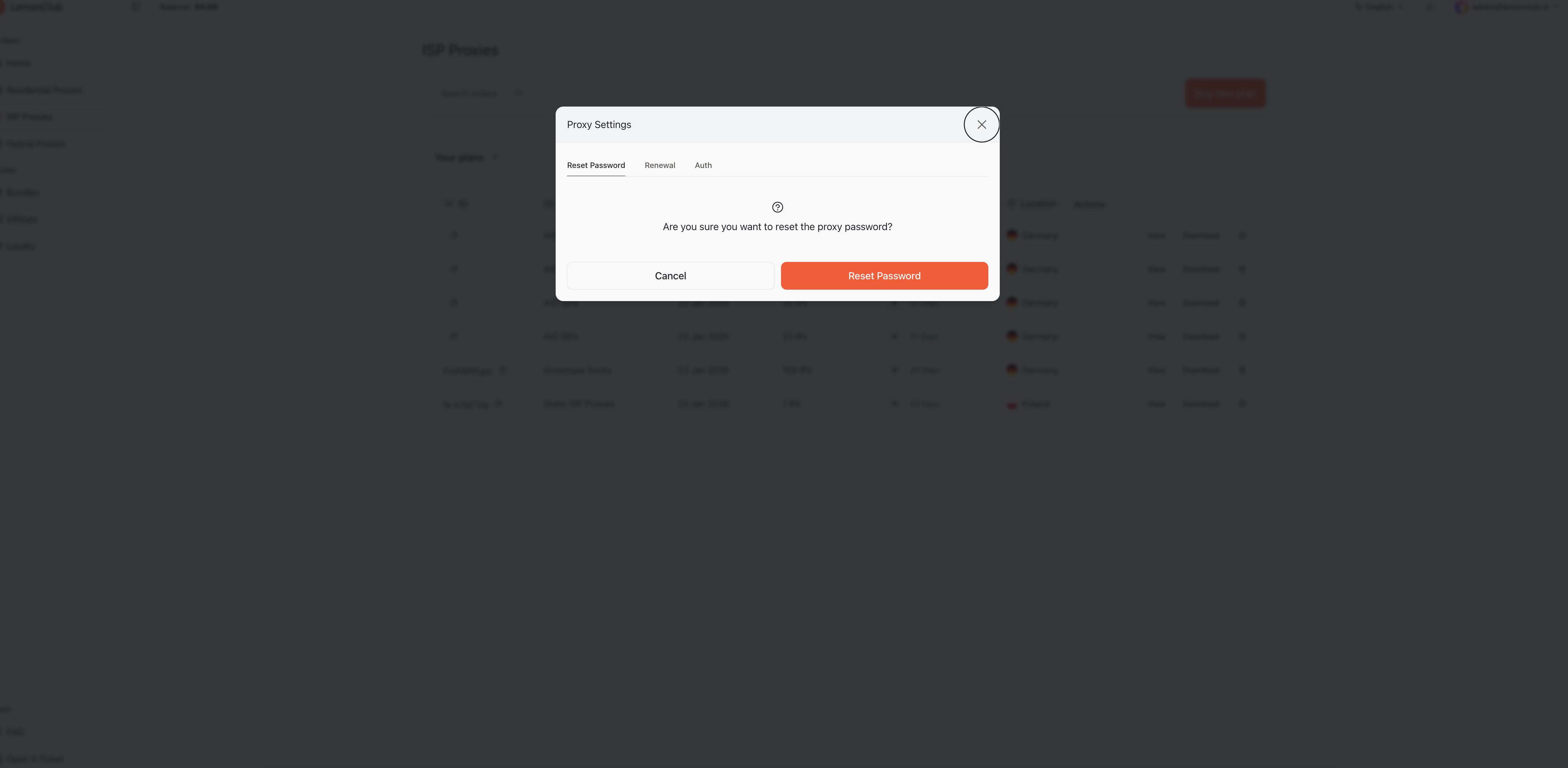
By clicking on the settings button (gear icon), you'll be able to select several options. The first tab is for resetting your ISP password. Resetting your password will automatically regenerate it with a random one.
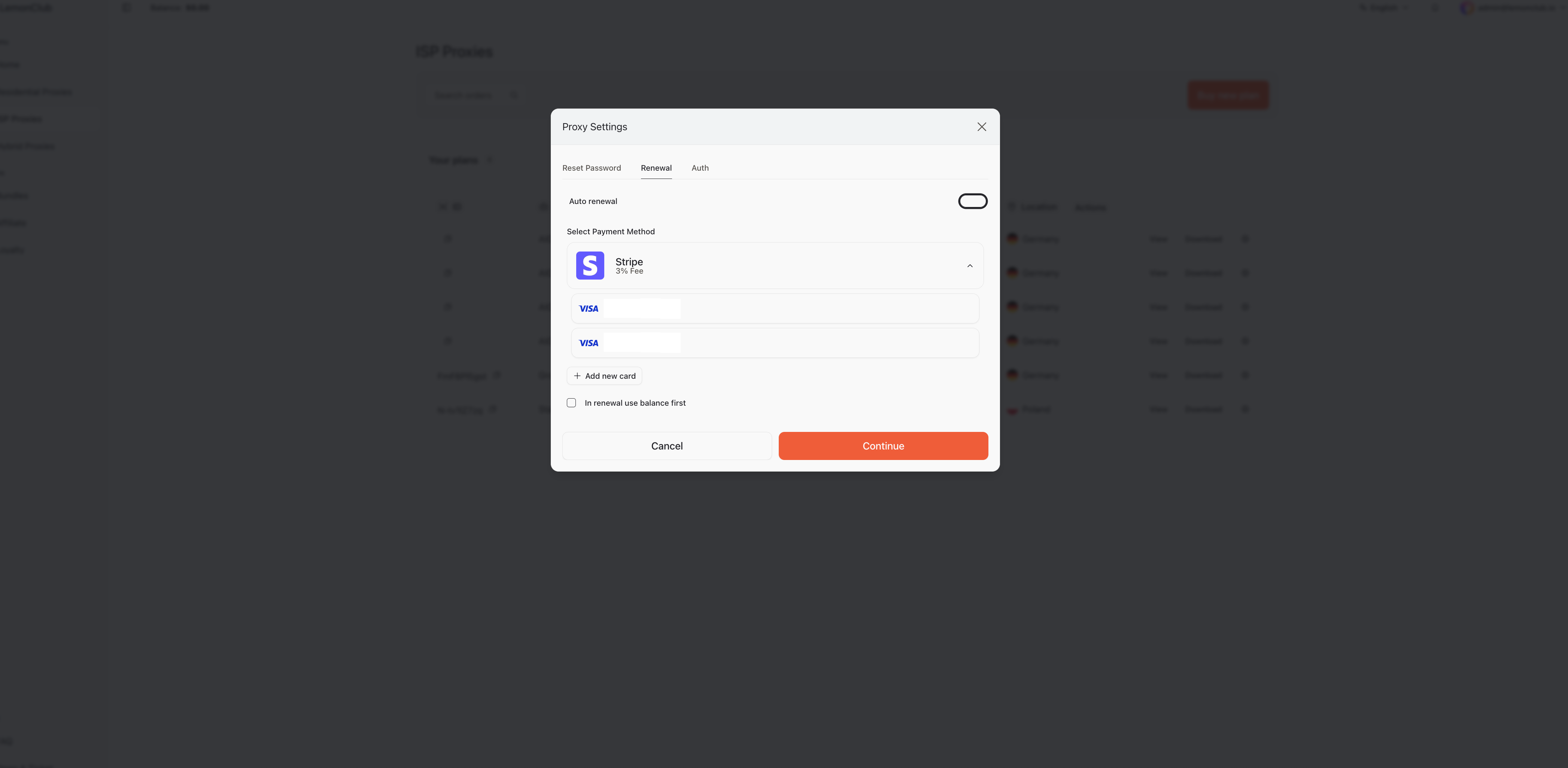
By clicking on the renewal tab, you can set up autorenewal on your preferred card, or you can add a new card using the "add new card" function. At the bottom, you'll find the option to check "Use balance first in renewal." The system will use the balance in your account as the primary withdrawal method. If your balance is insufficient, the system will proceed with the withdrawal from the other credit cards in your account.
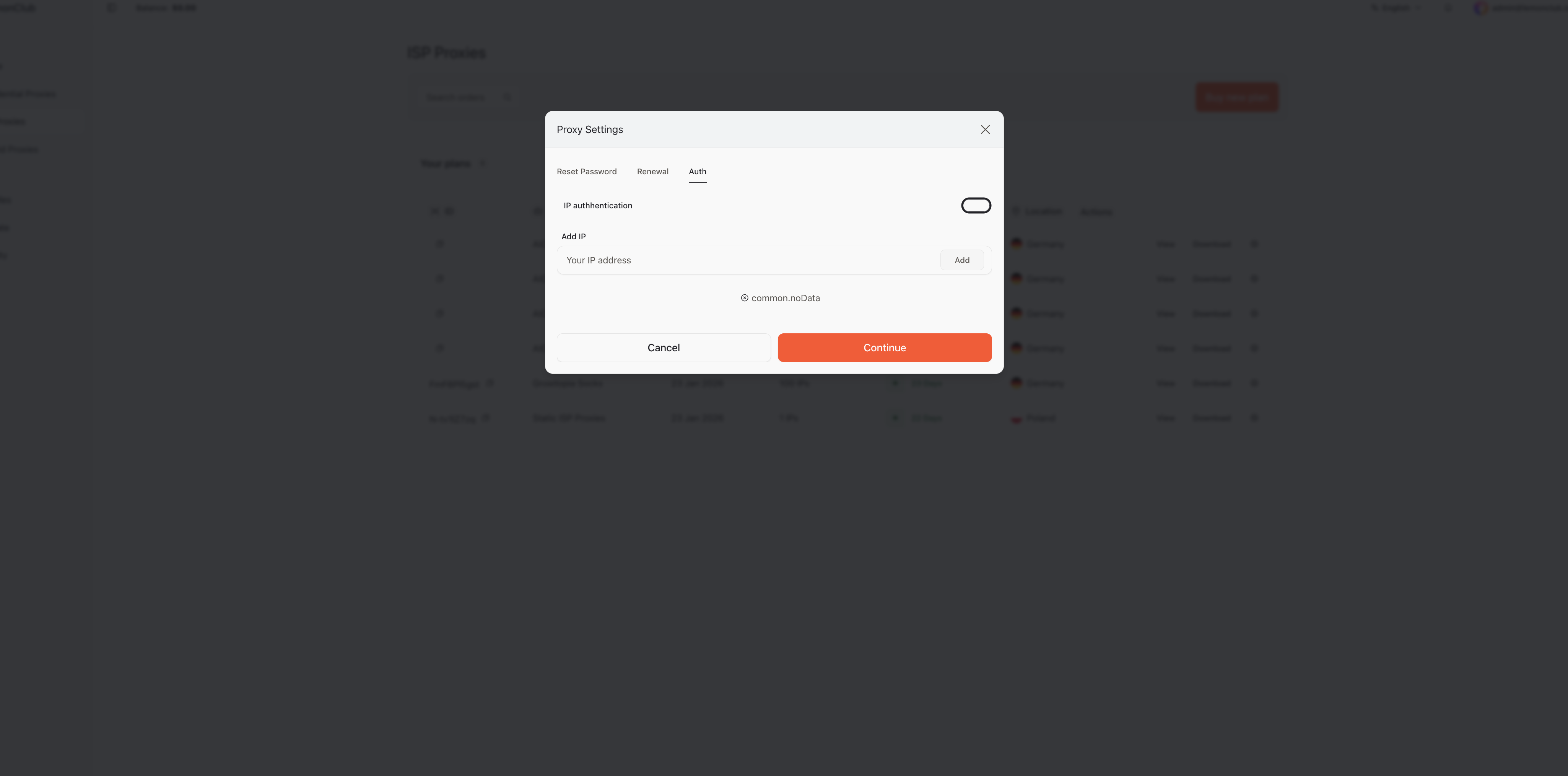
By clicking on the "Auth" renewal tab, you can enter the IP address of your server/home/office from which you want to use your ISPs. Please note that the ISP format will change since you've changed the authentication method, which will no longer be based on username and password but exclusively on your IP address. Furthermore, your ISP list will only work from the IP address you entered, so please check it carefully.
Was this helpful?
Still need help? Share an idea