Account Settings
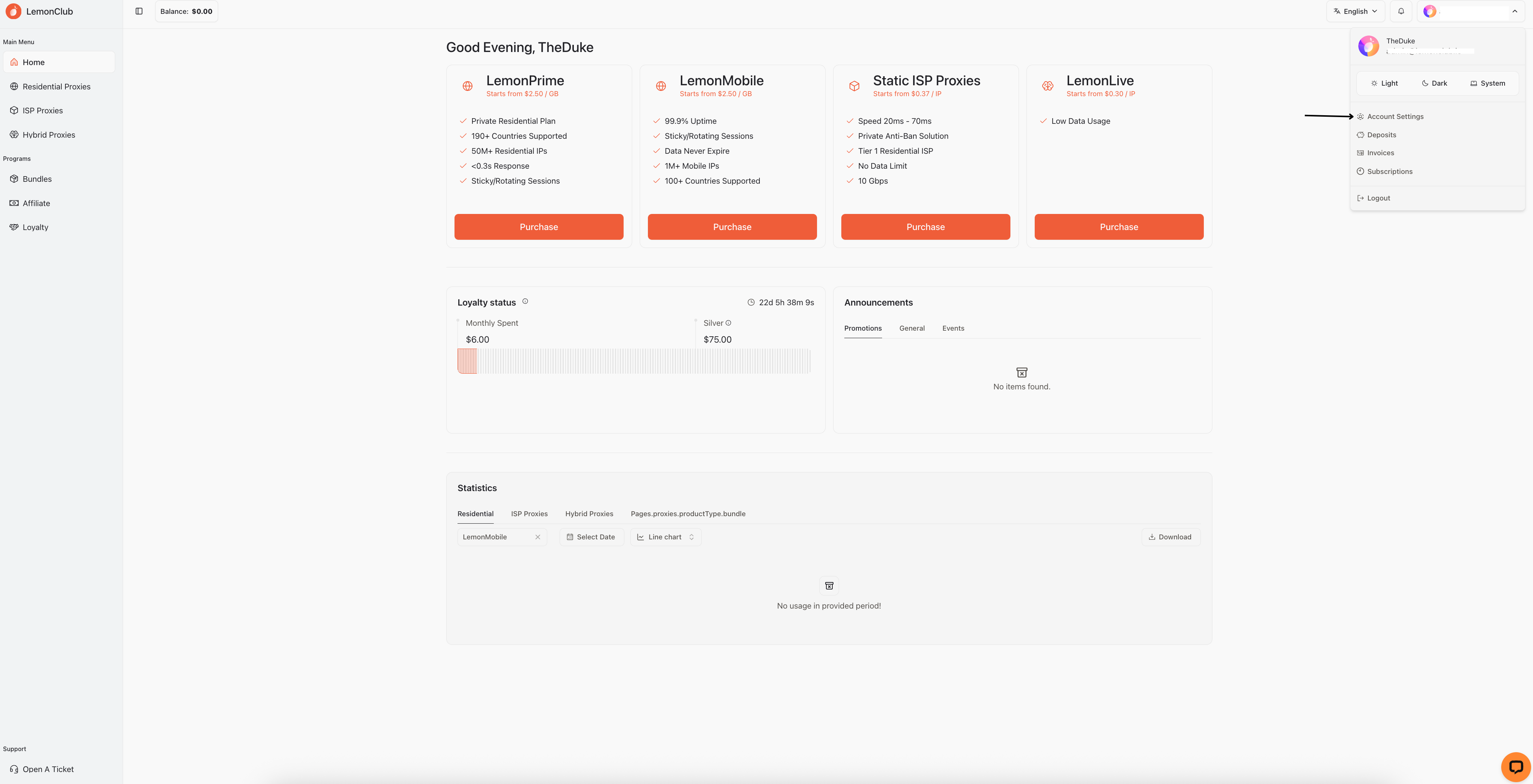
To access your account settings, simply select the button where you see the email address you used to log in or your Google/Discord account and select "account settings".
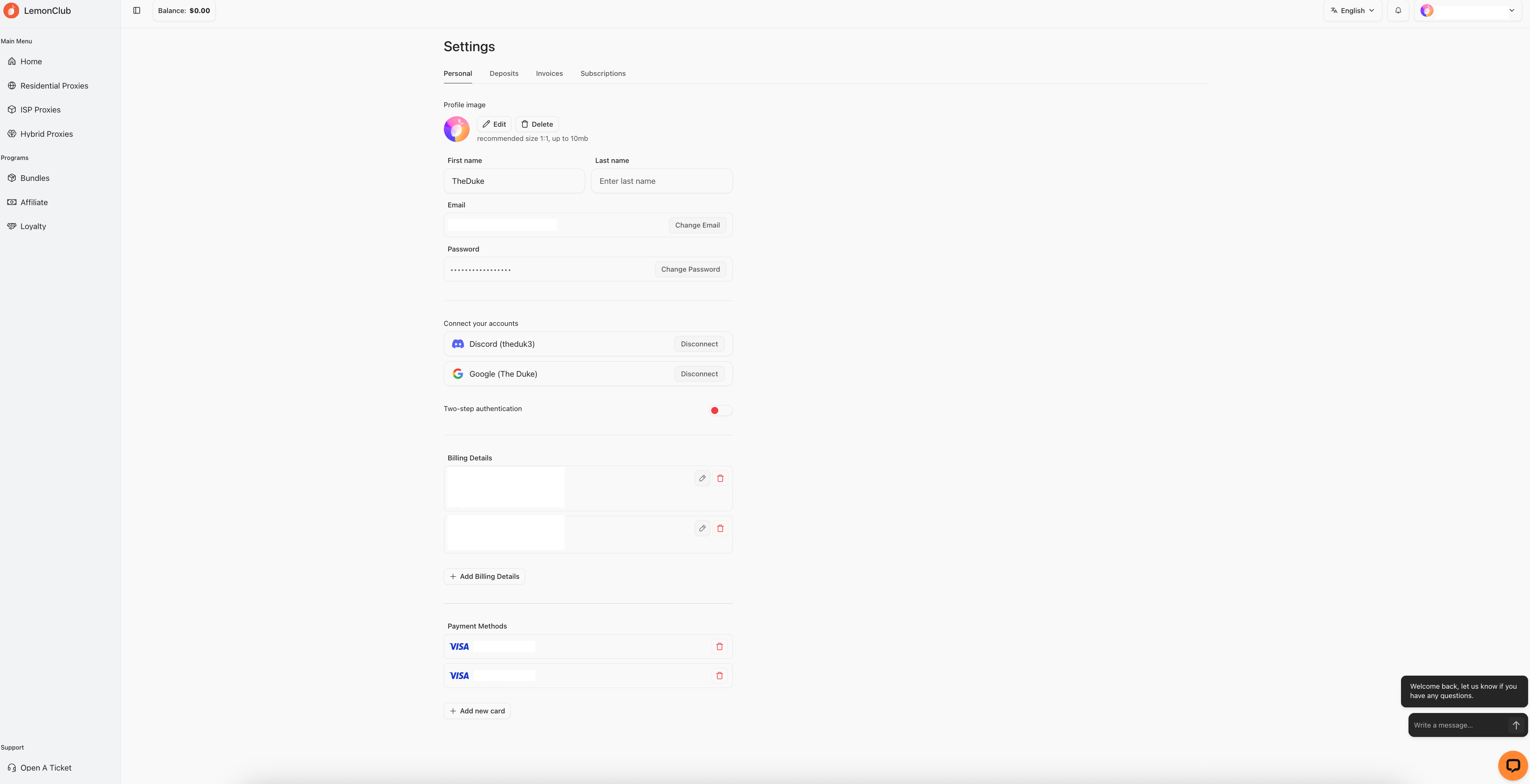
Personal
In this section, you can manage your personal information. Change all your personal information (name, surname, email, etc.), connect your Discord and Google accounts, enable two-factor authentication, update and/or add billing details, and finally update and/or add your credit cards.
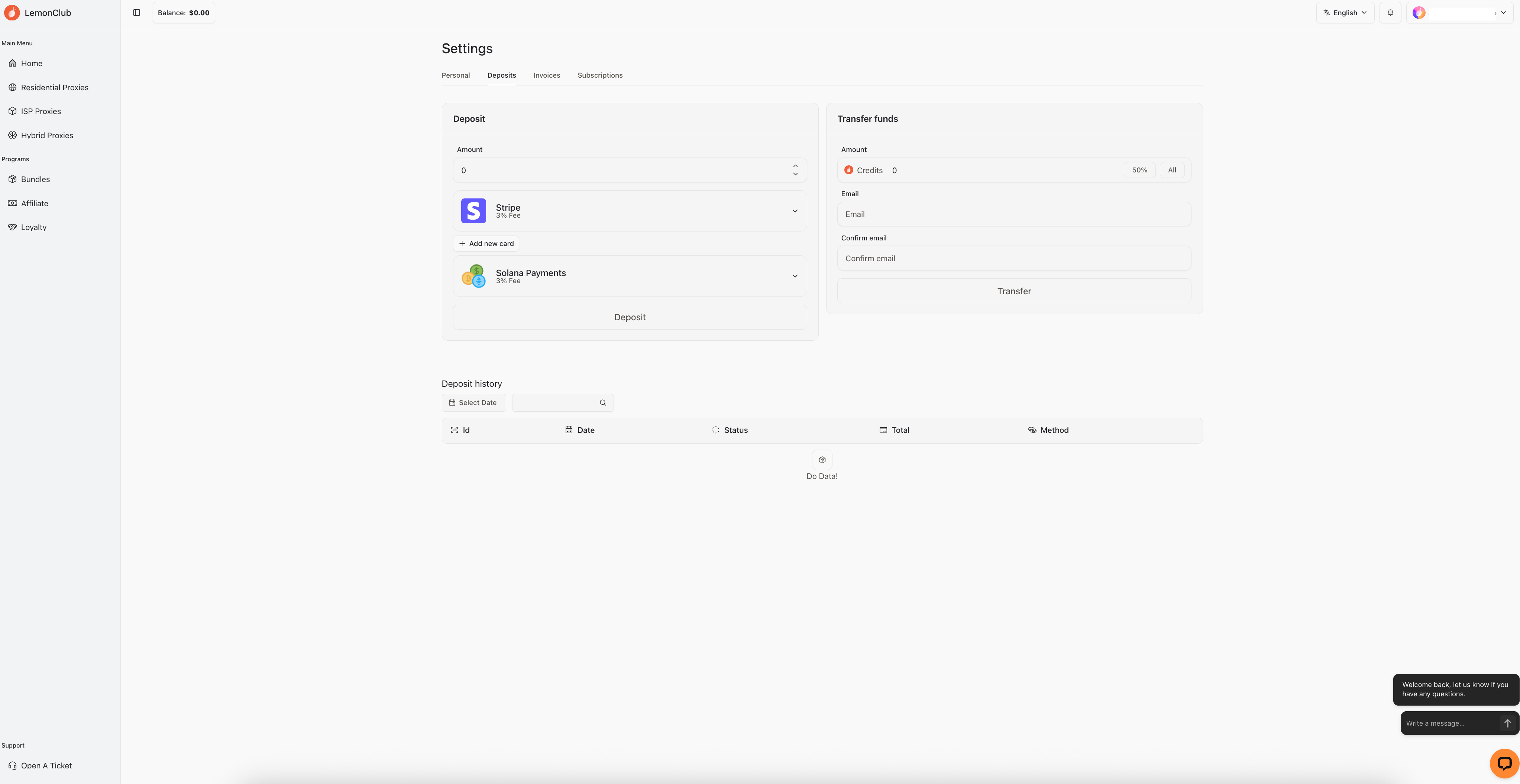
Deposits
In this section, you can add a deposit to your account with Stripe or crypto to speed up payment processes for various purchases and your active subscriptions.
Additionally, in the "Transfer funds" section you can send the desired amount of money to another account, so you can easily transfer the funds to another account of yours or simply to a friend.
You can view your entire deposit history at the bottom.
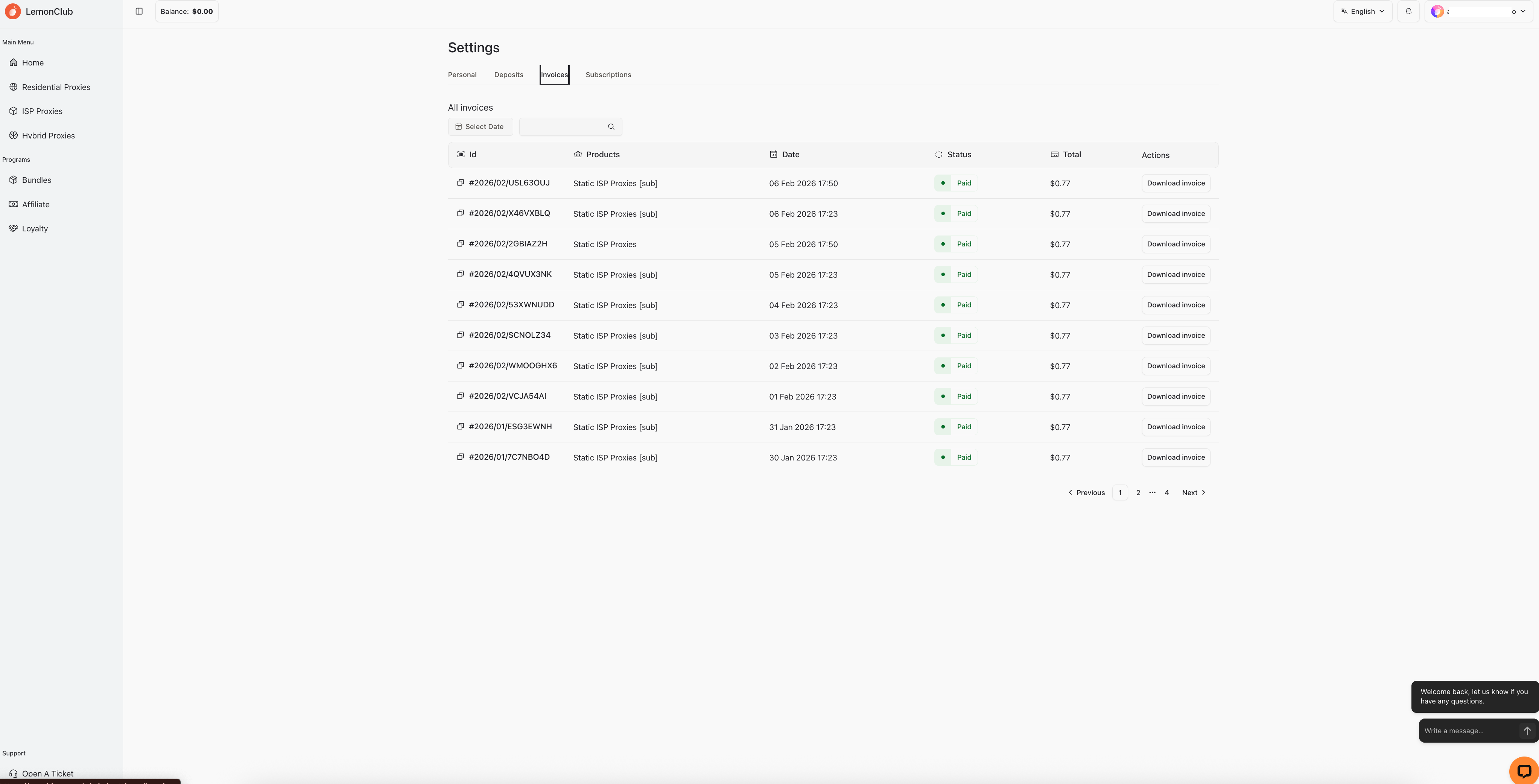
Invoices
In this section, you can view your entire invoice history and filter them by purchase date or product name. You can also download the desired invoices as PDFs.
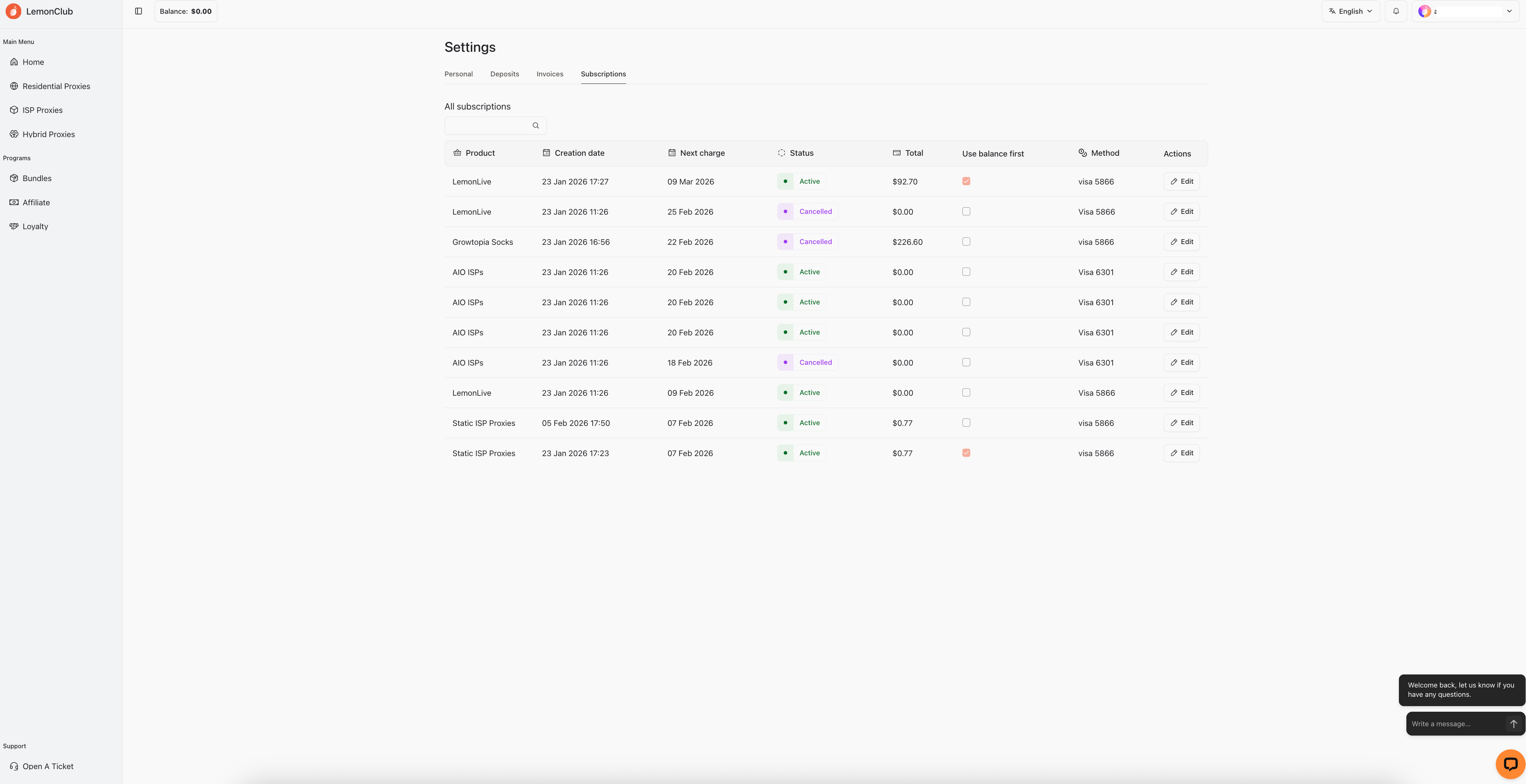
Subscriptions
In this section, you'll find all your active subscriptions. You can view the product name, purchase date, renewal date, total, and your payment method. You can choose to use the balance on your account first or change your existing credit card.
Was this helpful?
Still need help? Share an idea